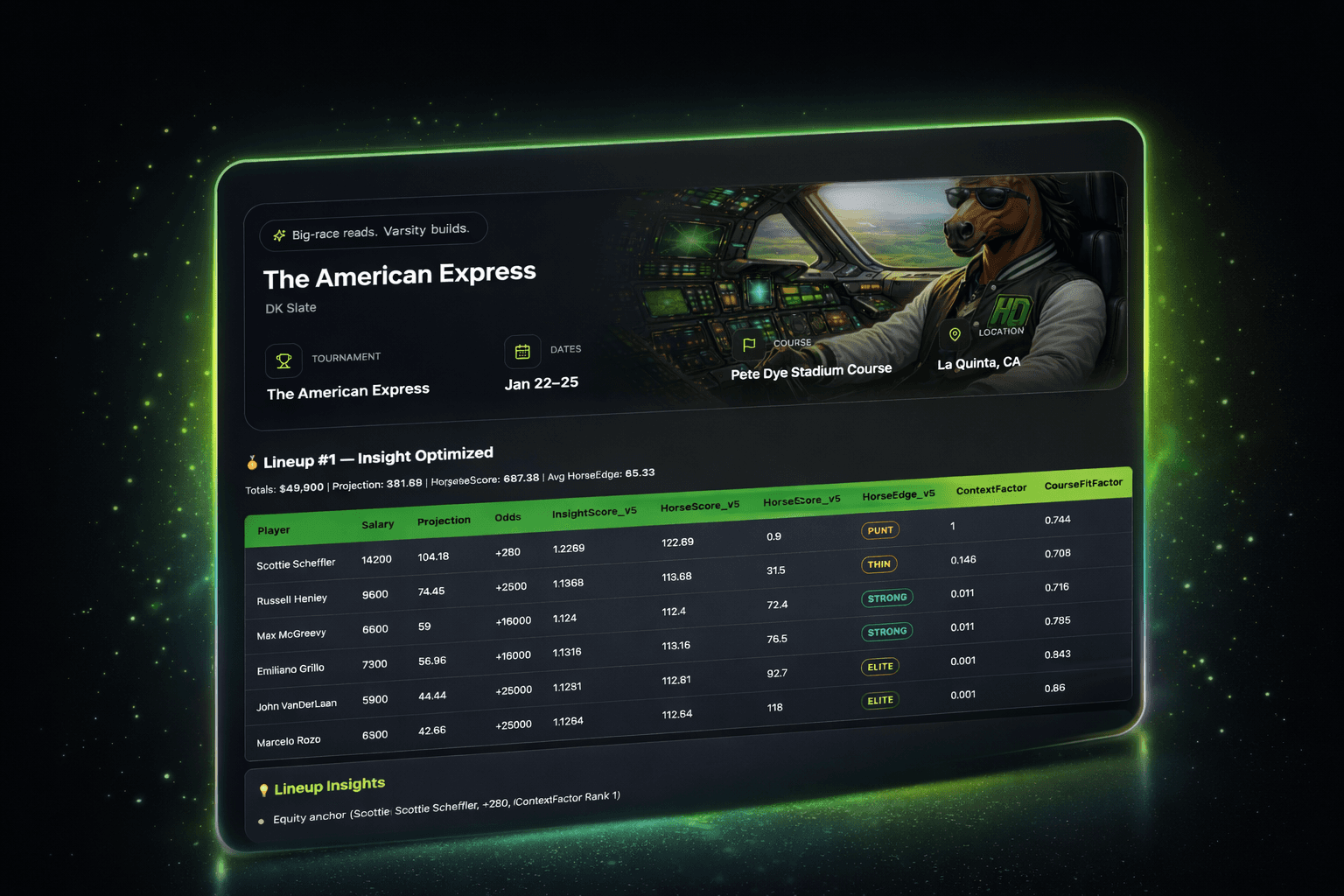
How HorseData Works
HorseData is designed to help you make higher-quality DFS decisions faster. It combines pricing context, profile-based lineup construction, and practical risk controls so you can build with intent instead of guesswork.
- HorseScore = overall player quality signal independent from raw projection.
- HorseEdge = value vs salary expectation curve, not just raw points.
- Profiles change lineup behavior: Balanced, Red Hot, Horse for the Course.
- Use rankings + edge + risk tags together, then select profile by contest type.
HorseScore
HorseScore is a model-quality signal built from InsightScore, not a projection multiplier.
HorseScore is the scaled version of InsightScore, a composite of six factors: context, course fit, recent form, course history, stability, and ceiling. Because it is projection-independent, HorseScore highlights golfers who may be under-recognized by raw projection lists.
Why this matters: projection ranks median outcomes; HorseScore ranks model conviction quality. Those are related, but not identical.
| Scenario | Projection Rank | HorseScore Rank | Actionable Read |
|---|---|---|---|
| Player A: elite context + fit, modest projection | 15th | 6th | Potential under-projected target, especially in GPP. |
| Player B: high projection, weak edge and stability | 5th | 19th | Playable, but treat as fragile chalk in balanced builds. |
Start with high HorseScore golfers that also carry SAFE/NEUTRAL CutRiskTag and stable role usage.
Prioritize HorseScore + CeilingFactor + EdgeBand to find upside players the field may misprice.
HorseEdge
HorseEdge tells you how a golfer compares to salary expectation, not just absolute score.
HorseEdge is derived from HorseScore - expected value by salary curve. That expected value line increases with salary, so expensive golfers must clear a higher bar to be true value.
This is why a high-salary, high-HorseScore golfer can still be FAIR rather than UNDERPRICED: the salary already bakes in premium expectation.
| EdgeBand | Range | How to use it |
|---|---|---|
| UNDERPRICED | 85+ | Strong score relative to salary expectation. Priority target. |
| VALUE | 65-84.99 | Positive leverage zone. Enables stronger lineup combinations. |
| FAIR | 45-64.99 | Priced close to expectation. Use for fit, structure, and correlation. |
| PRICEY | 25-44.99 | Needs specific reason (ceiling, leverage, ownership angle). |
| OVERPRICED | <25 | Price exceeds model value signal. Usually fade unless intentional leverage. |
- ANCHOR + VALUE/UNDERPRICED: strong core in most contest types.
- VALUE role + VALUE EdgeBand: salary relief with model support.
- DART + OVERPRICED: usually avoid unless ownership leverage is the thesis.
- Using HorseEdge alone without checking CutRiskTag.
- Assuming high salary always means must-play if HorseScore is high.
- Ignoring FAIR players that unlock better lineup structure.
- Over-forcing OVERPRICED names because of brand bias.
Optimization Profiles
Profiles control lineup construction behavior, risk appetite, and player selection emphasis.
An optimization profile is a preset model lens. It does not change your core data contracts; it changes how lineup building balances recent form, course history, stability, and ceiling under the same salary cap and projection floor rules.
Projection Floor (P_floor): insight-focused lineups must stay near the projection optimum (P_opt). This prevents low-projection "pretty" lineups that look good on narrative but fail on baseline points.
| Profile | Philosophy | Best Contest Fit | Volatility Handling | Stud Treatment | Ceiling vs Stability |
|---|---|---|---|---|---|
| Balanced | Most complete all-around blend of fit, form, history, stability, and ceiling. | Best default for most users. Cash + single-entry GPP baseline. | Controlled volatility with broad usability. | Studs remain viable if they clear stability and risk constraints. | Even blend; avoids over-committing to one axis. |
| Red Hot | Tilts toward recent form and upside momentum. | Single-entry and large-field GPP when chasing ceiling paths. | Accepts more volatility when upside is strong. | More willing to roster hot studs and in-form midrange players. | Ceiling-forward, but still constrained by P_floor and cut-risk rules. |
| Horse for the Course | Tilts toward event/course history and repeatability at venue. | Cash and smaller-field contests where stability and familiarity matter. | Lower volatility bias when history is meaningful. | Prefers studs with strong course signals and acceptable cut-risk profile. | Stability/history-forward, ceiling still considered but secondary. |
- If you want one default process: start with Balanced.
- If contest is top-heavy and you need first-place outcomes: compare into Red Hot.
- If the venue has strong repeat signals and your slate context supports it: compare into Horse for the Course.
- If two profiles agree on a core player, confidence typically increases.
How To Use HorseData
A practical step-by-step workflow for building lineups with intent.
Use rankings to identify the strongest model-backed player pool before forcing lineup combinations.
Anchor-level golfers are your lineup backbone. Confirm role, stability, and risk tag before locking.
Prioritize UNDERPRICED/VALUE names for salary efficiency. Treat FAIR as neutral; justify PRICEY picks explicitly.
For floor-oriented builds, reduce VOLATILE exposure. For GPP, cap risk intentionally instead of randomly.
Inspect differences across Balanced, Red Hot, and Horse for the Course to find intentional pivots.
Use projection benchmark + role + edge + risk to finalize a coherent lineup story, not a random mix.
- Bias SAFE/NEUTRAL CutRiskTag.
- Prefer ANCHOR and CORE roles with FAIR+ EdgeBands.
- Avoid unnecessary VOLATILE exposure.
- Start Balanced, then check Red Hot pivots.
- Keep one intentional volatility point, not many.
- Use VALUE + ceiling combinations for leverage.
- Emphasize ceiling and ownership leverage.
- Profile-compare aggressively for differentiated constructions.
- Pivot with purpose: swap similarly projected, better edge/risk alternatives.
When replacing a popular golfer, keep the lineup's role structure intact. Example: swap an OVERPRICED ANCHOR for a FAIR/ VALUE CORE with similar projection tier and better HorseEdge, then re-check total projection floor.
Navigation And Search Upgrades
Use these shortcuts to get to the right report faster and compare profiles with less friction.
- Open on Profile Compare first for lineup decision context.
- Use lineup detail pages for deep player diagnostics.
- Keep rankings tab as cross-check before final lock.
Add annotated screenshots for: (1) Profile Compare, (2) Ranking signals, (3) Lineup detail benchmark view.
Quick Glossary
Tap a term to expand the definition.
InsightScoreShow
Projection-independent composite built from context, fit, form, history, stability, and ceiling factors.
StabilityFactorShow
Consistency/cut-safety proxy based on available reliability inputs with salary/putting risk adjustments.
CutRiskTagShow
Discrete risk label from CutRiskScore: SAFE, NEUTRAL, or VOLATILE.
CeilingFactorShow
Upside signal for right-tail scoring potential used to differentiate winning lineup paths.
Why this version improves decision quality
- Clear metric definitions reduce interpretation errors.
- Profile comparison table maps model behavior directly to contest selection.
- Step-by-step playbook converts theory into repeatable workflow.
- Jump links + glossary improve scan speed and reduce support confusion.